DoriC 14.0 tutorial
Learn how to find replication origins, explore chromosome and plasmid records, compare sequences with BLAST, and download data.
Click any screenshot to open a larger view.
1. Browse and filter records
Open Browse to search by name or accession, narrow the results with filters, and select an origin record to view its details.
Quick search
Enter an Assembly ID, NC ID, Ori ID, organism name or plasmid description, then click Search. Try pSC101 or plasmid F.
If a name returns no results, clear active filters or try the accession. Some source descriptions omit familiar plasmid names; for R6K, use NZ_LT827129.1.
Advanced filters
Choose a genome type, organism group or other filters, then click Apply filters. To browse complete plasmids, select Complete and Plasmid. Use Reset all to remove filters.
Sort and scan
Click Genome size or GC content to sort the table. Use View to open a record.
Interpret literature linkage
Linked means a publication or source link is available; open References to read it. Not linked means no link is currently assigned. A link does not mean every predicted origin in the record was experimentally tested.
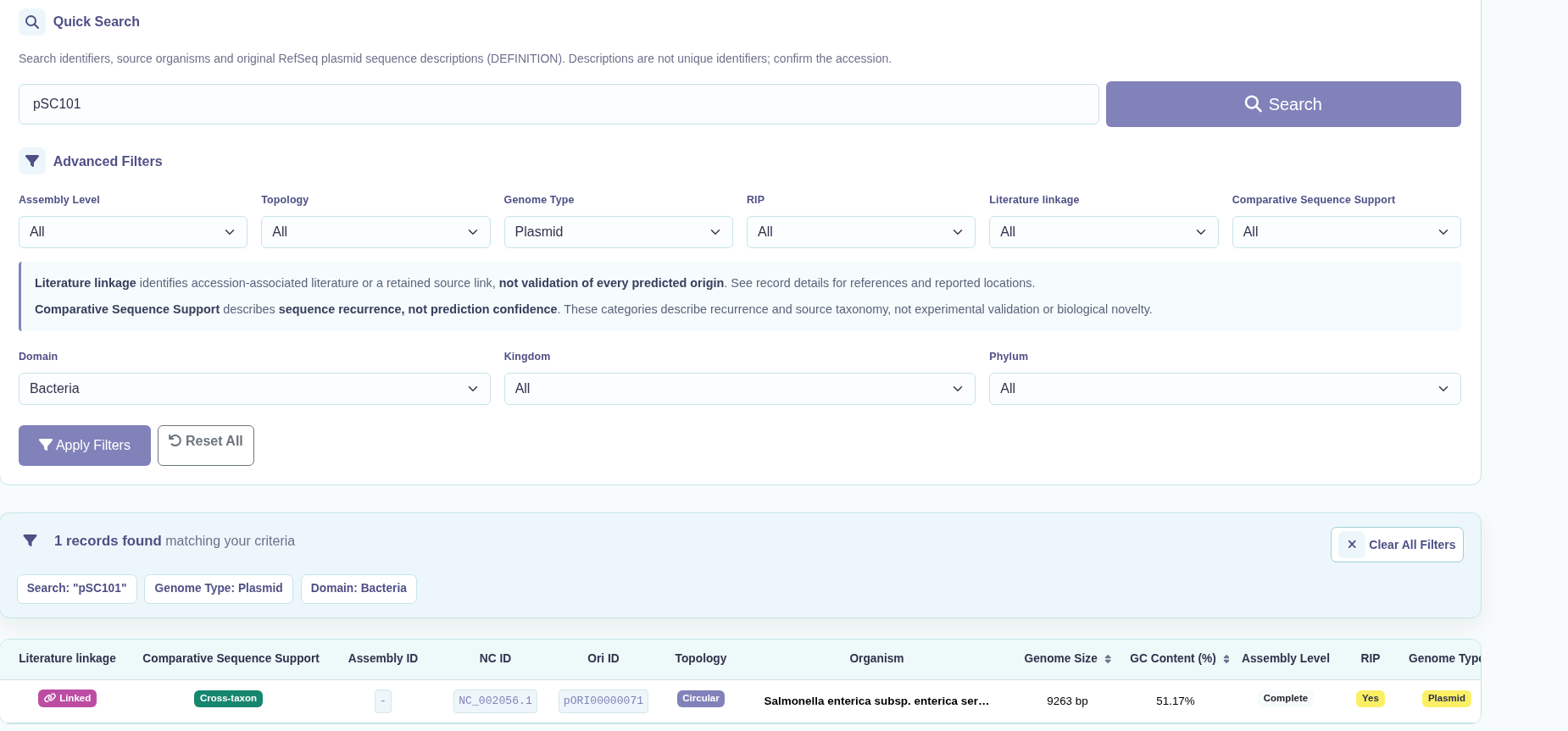
NC_002056.1 in the results.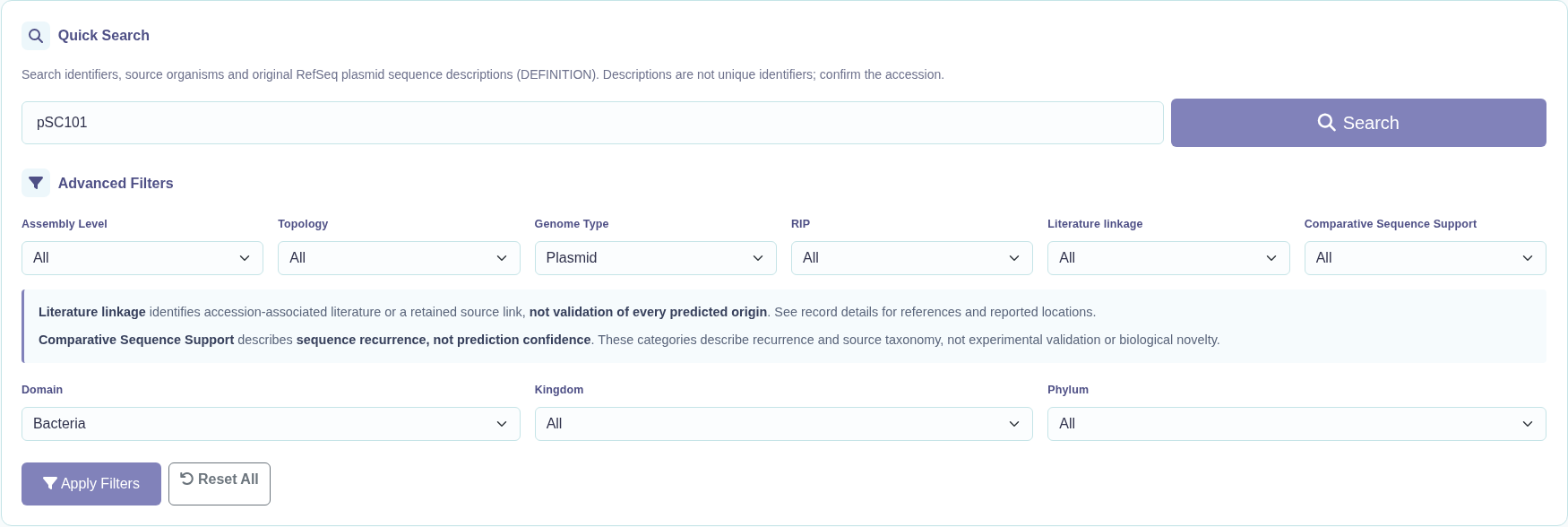
2. Read a chromosome or plasmid record
Open a record to view its basic information, predicted origin location, reference links and sequence visualizations. Click an accession to open its NCBI entry.
References and reported locations
Click References to view the associated publications and available PubMed, DOI or full-text links.
Where available, the reported experimental region is listed separately from the predicted origin. It may describe a broader region; use the cited article and listed accession version when interpreting its coordinates. A dash means no location is supplied.
Origin and RIP information
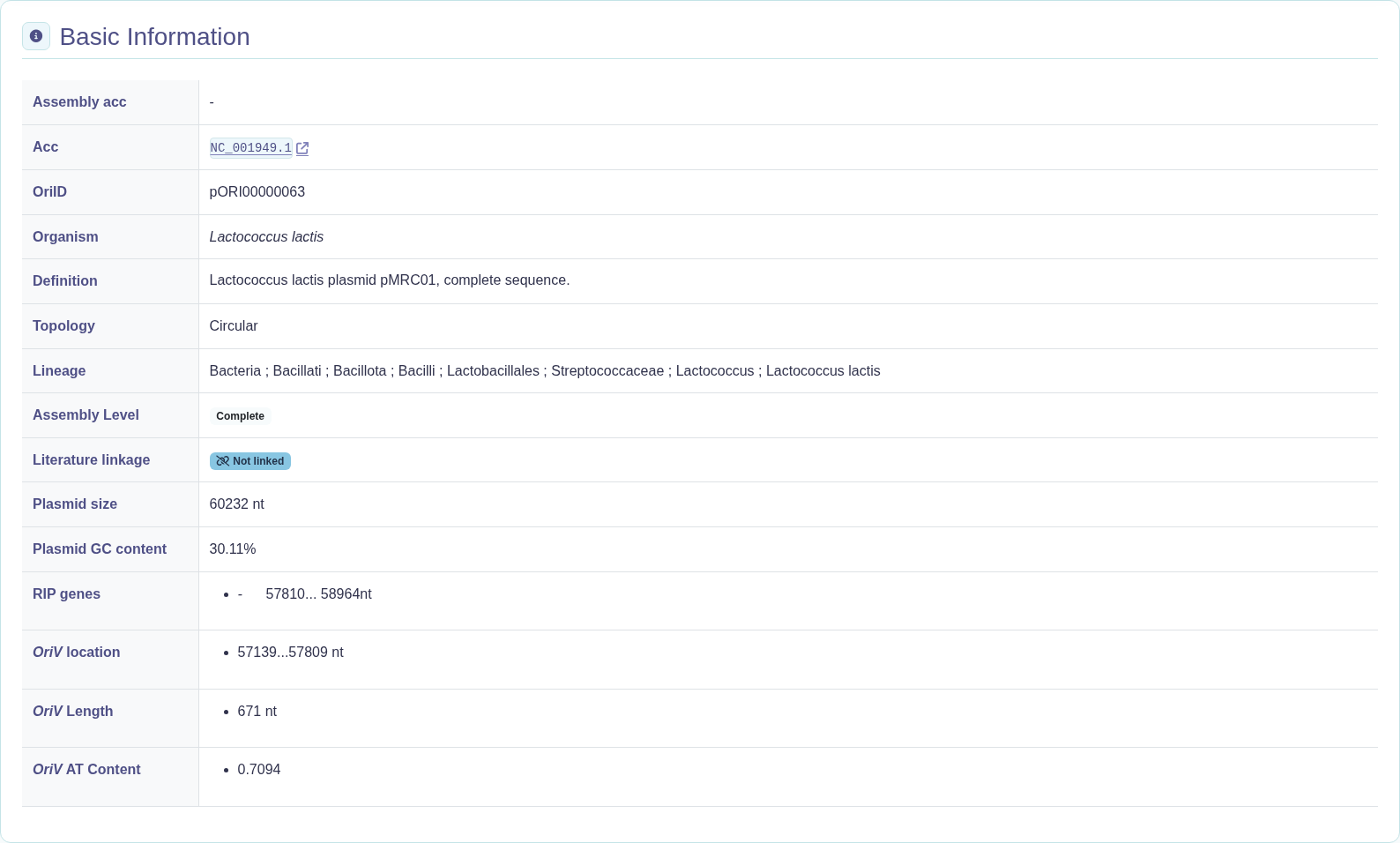
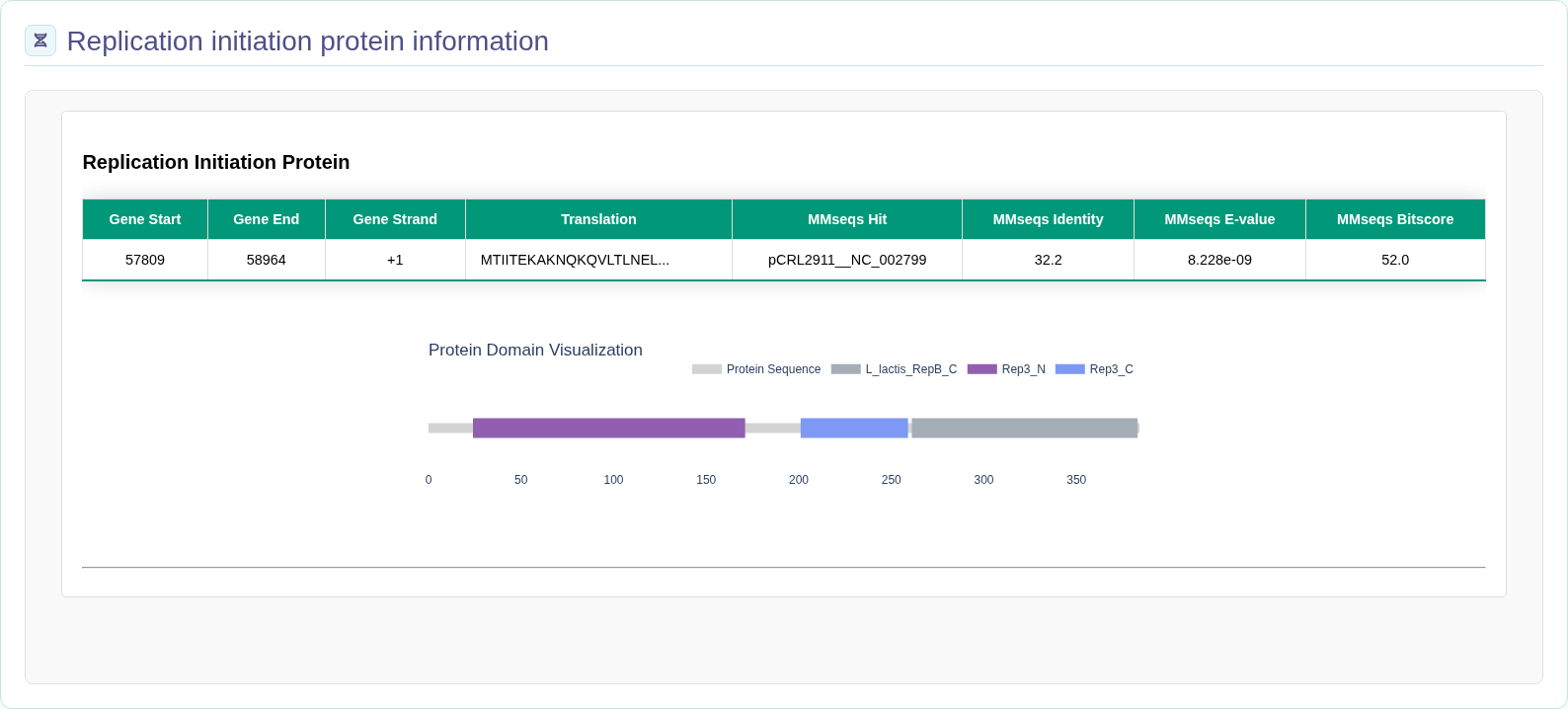
Check the origin location, length and sequence composition. Replication initiation protein (RIP) information includes gene coordinates and protein features where available.
Organism identifies the source organism; Definition gives the original plasmid sequence description.
Origin visualization
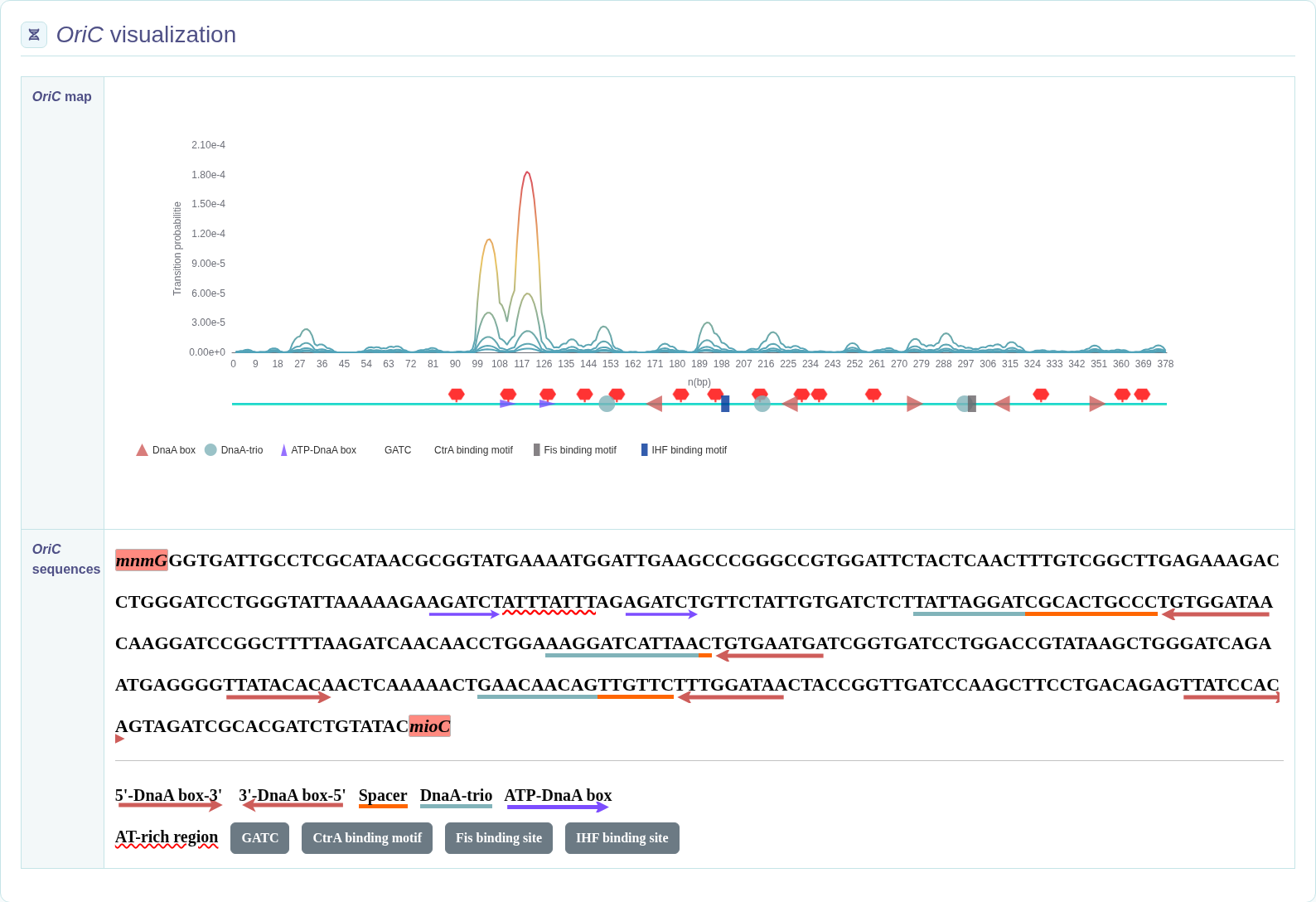
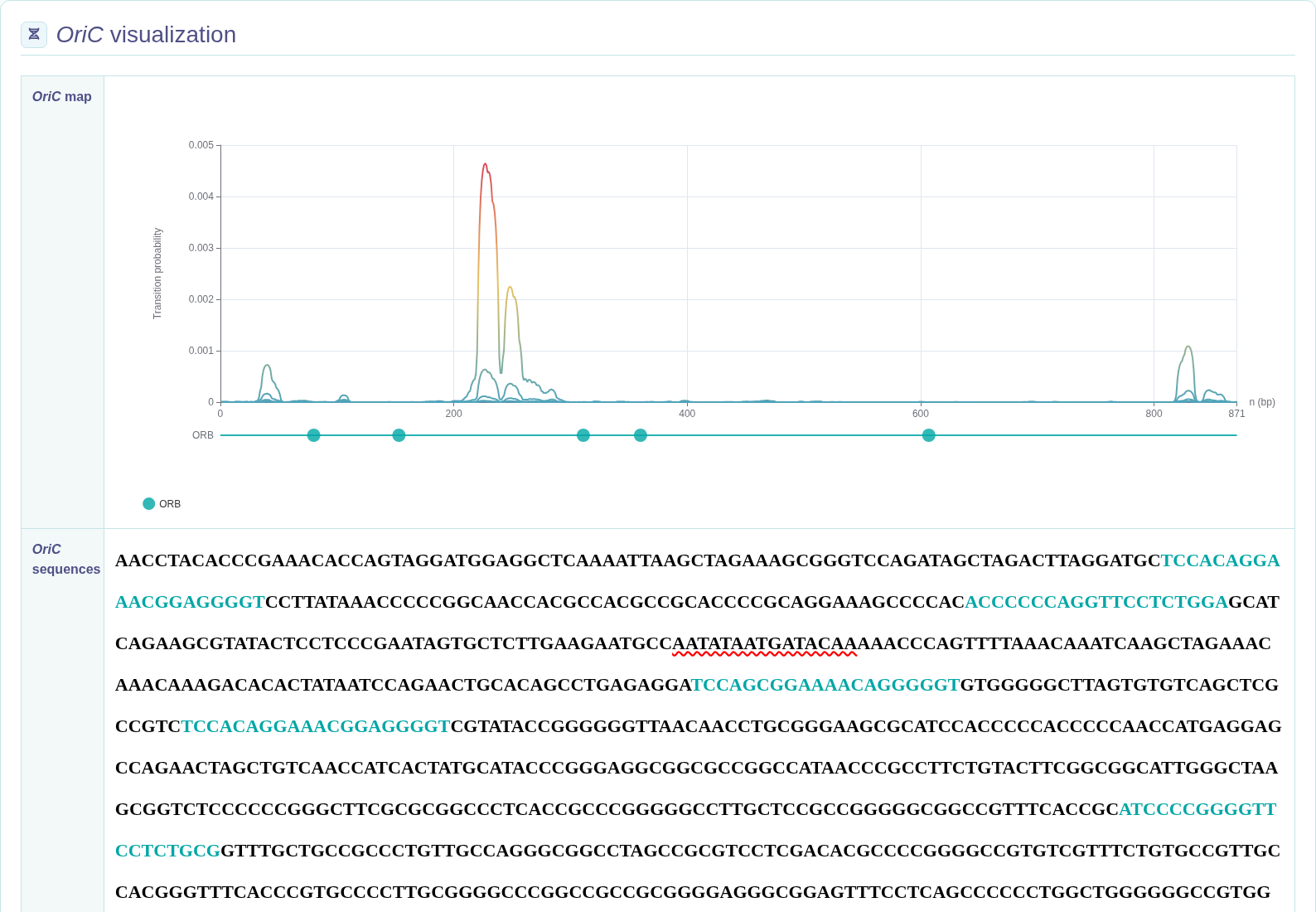
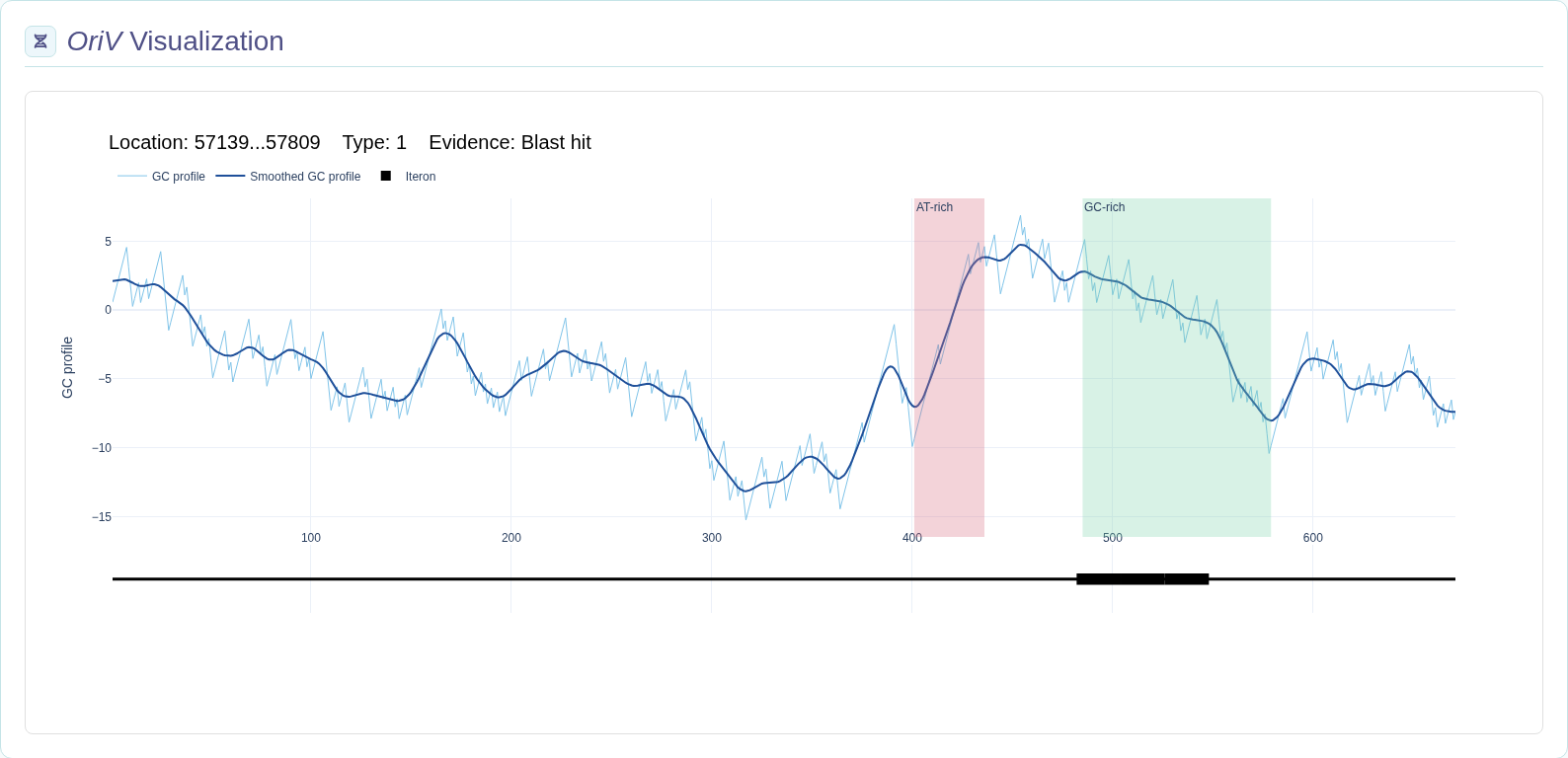
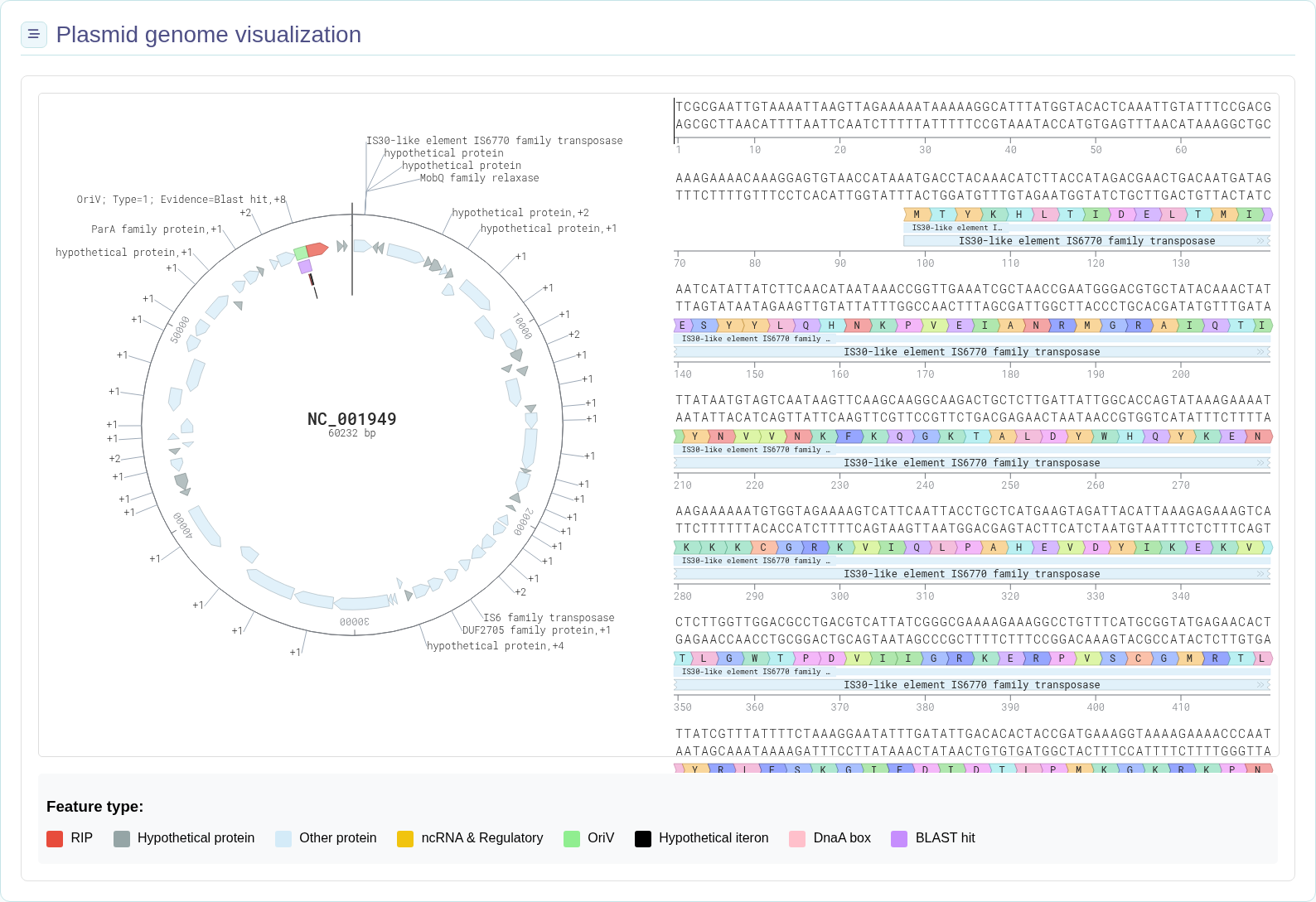
Use the chromosome Z-curve and local oriC views, or the plasmid whole-sequence and oriV views, to inspect the origin and nearby features.
Available views
Views depend on the record type. Scaffold/Contig chromosome records show origin and Z-curve views, but do not include RIP protein or network panels.
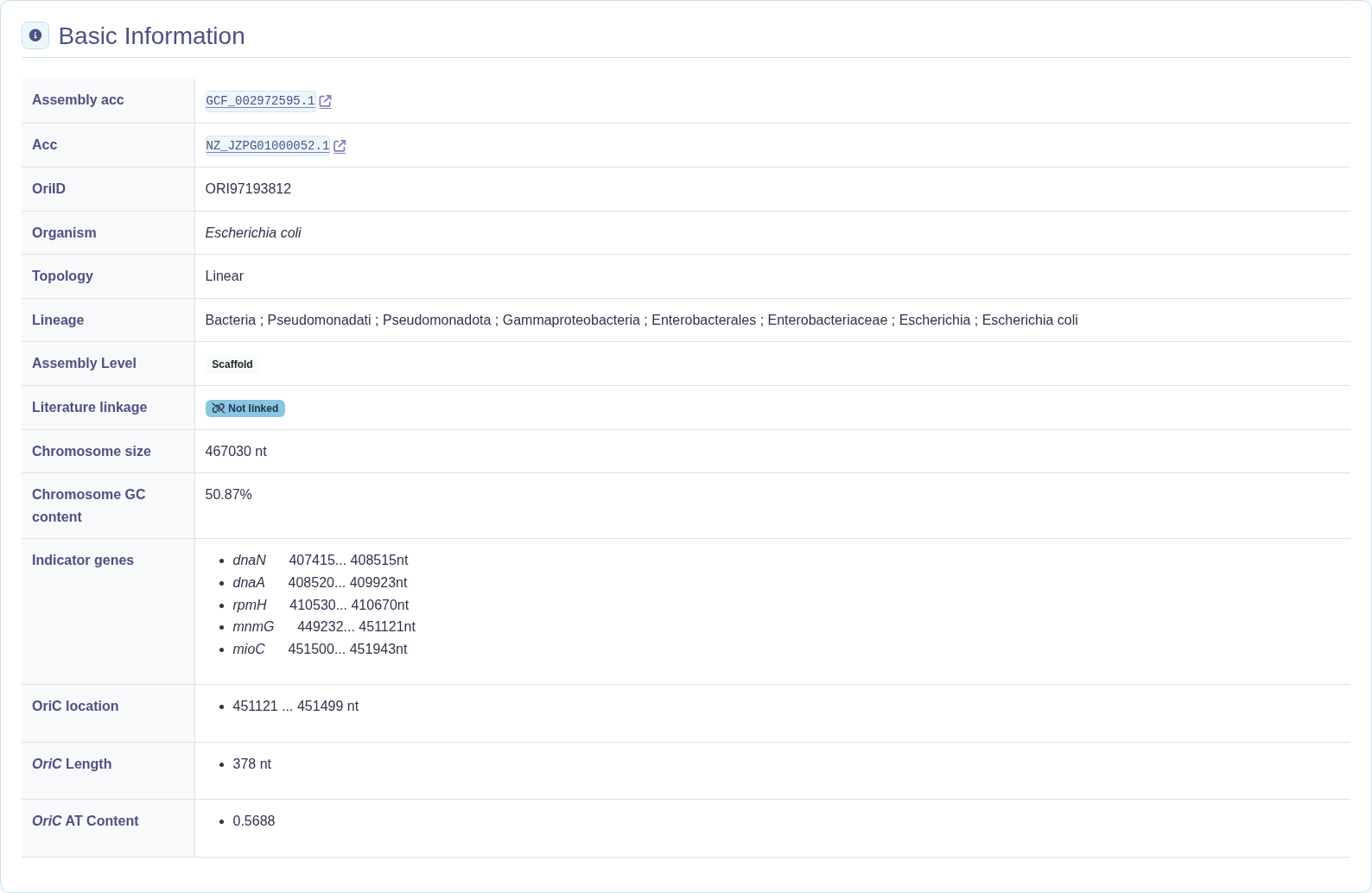
Chromosome examples
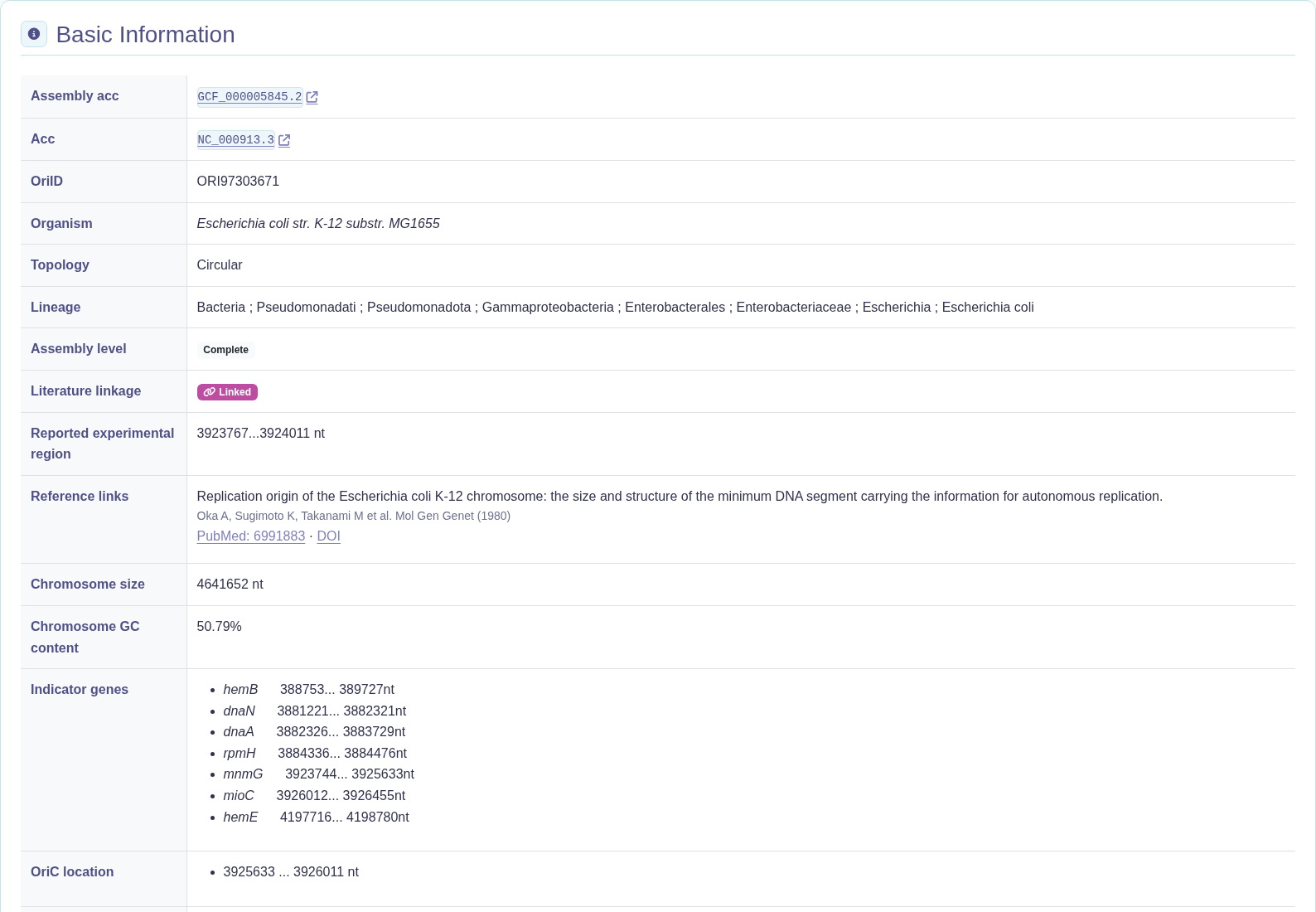
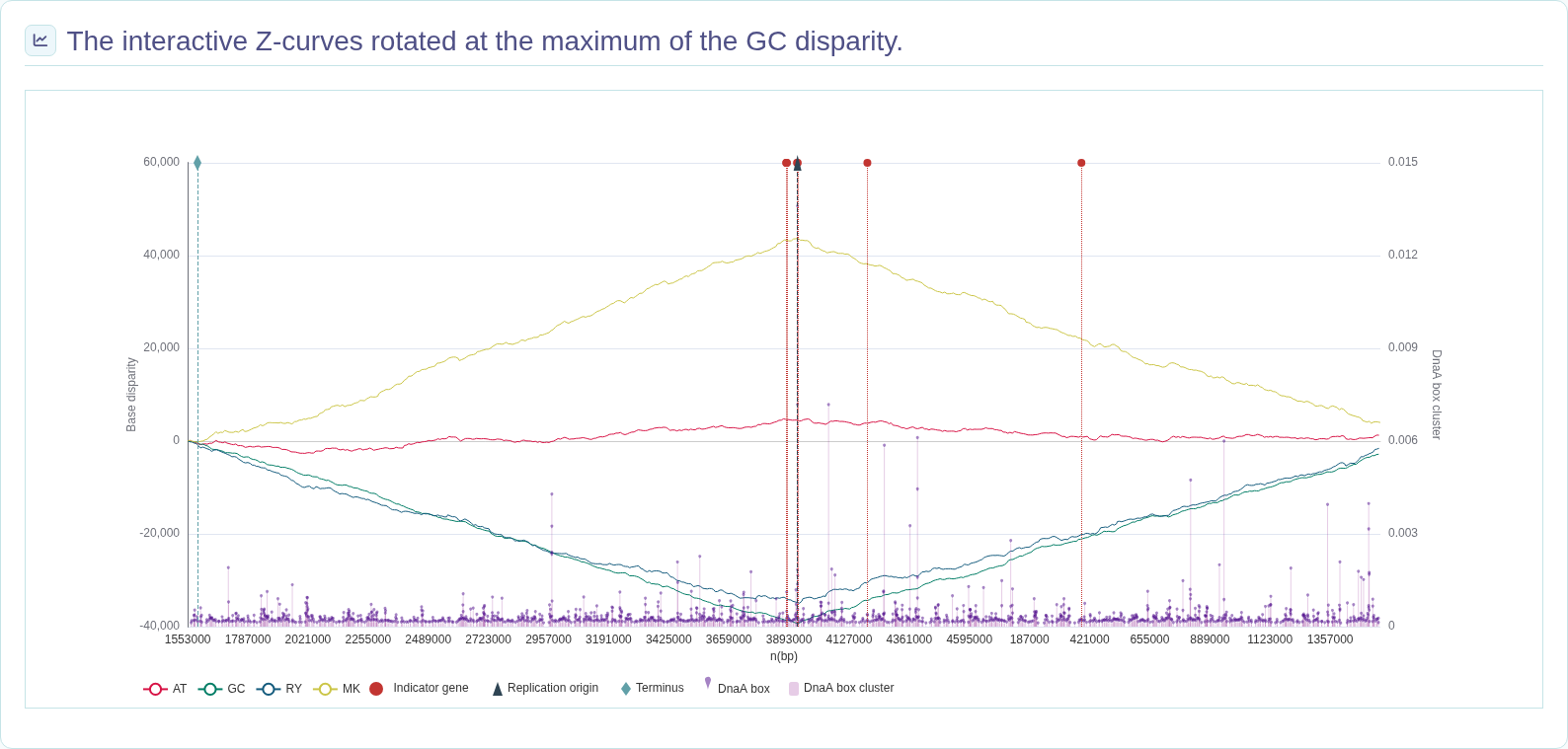
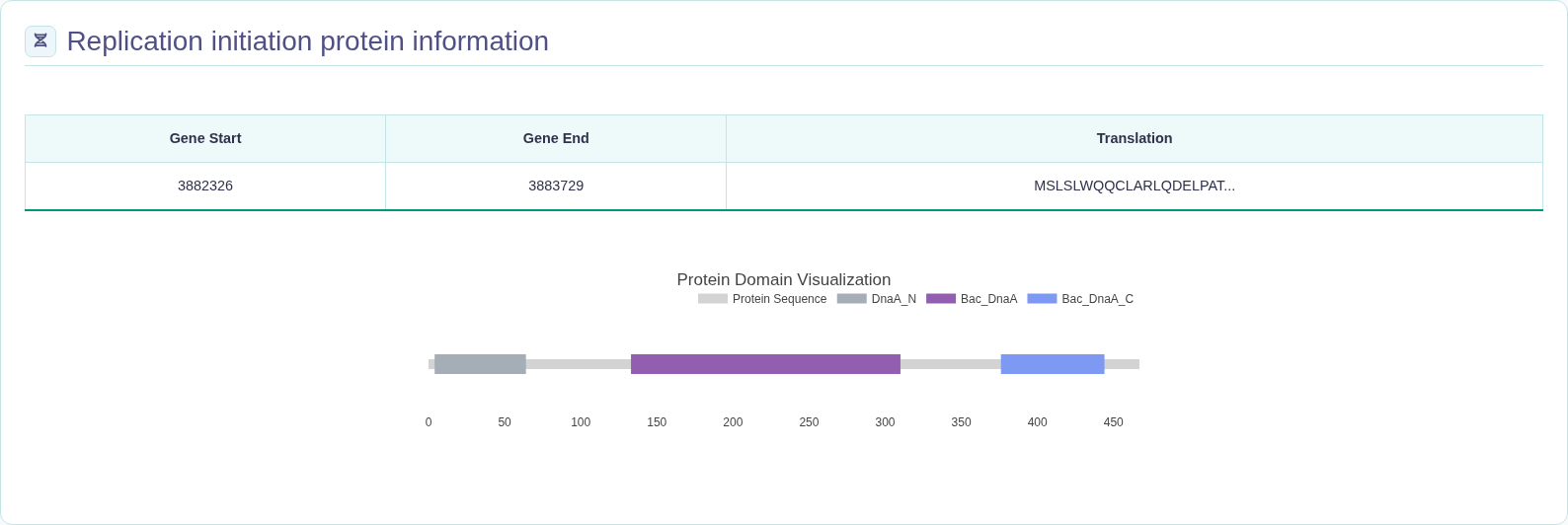
Plasmid examples
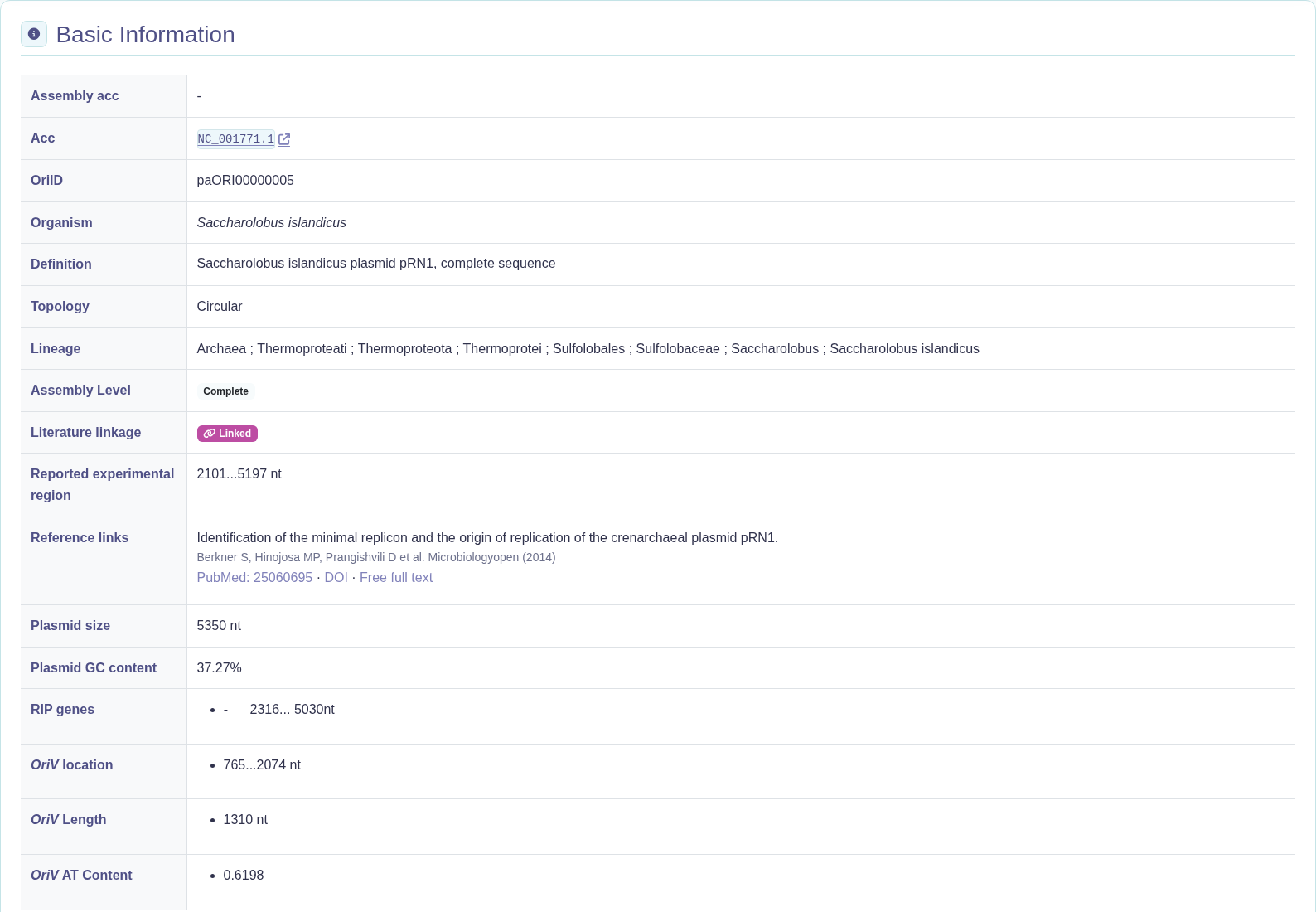
2101...5197 nt, to PMID 25060695.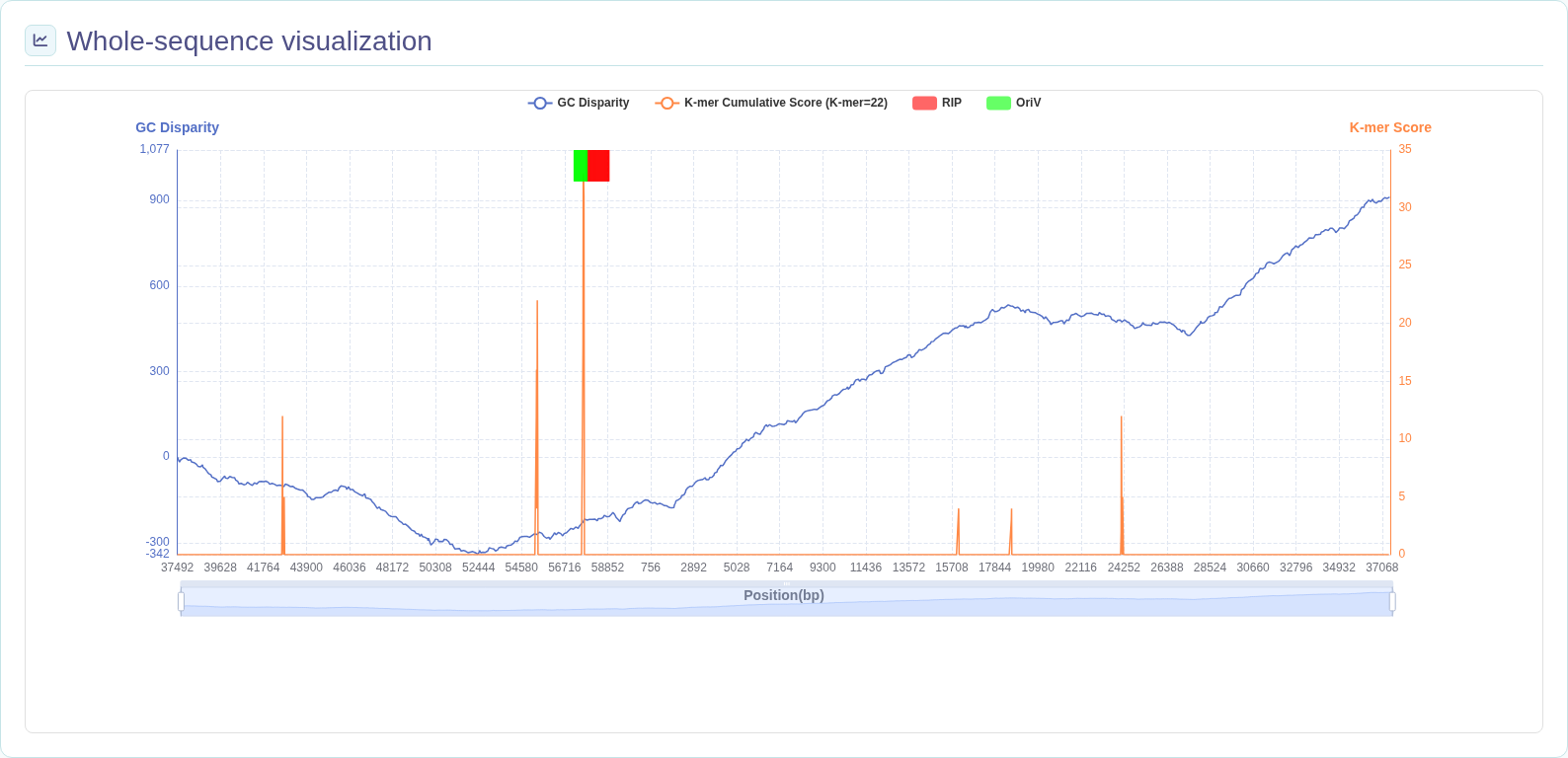
3. Explore similar origins and RIP networks
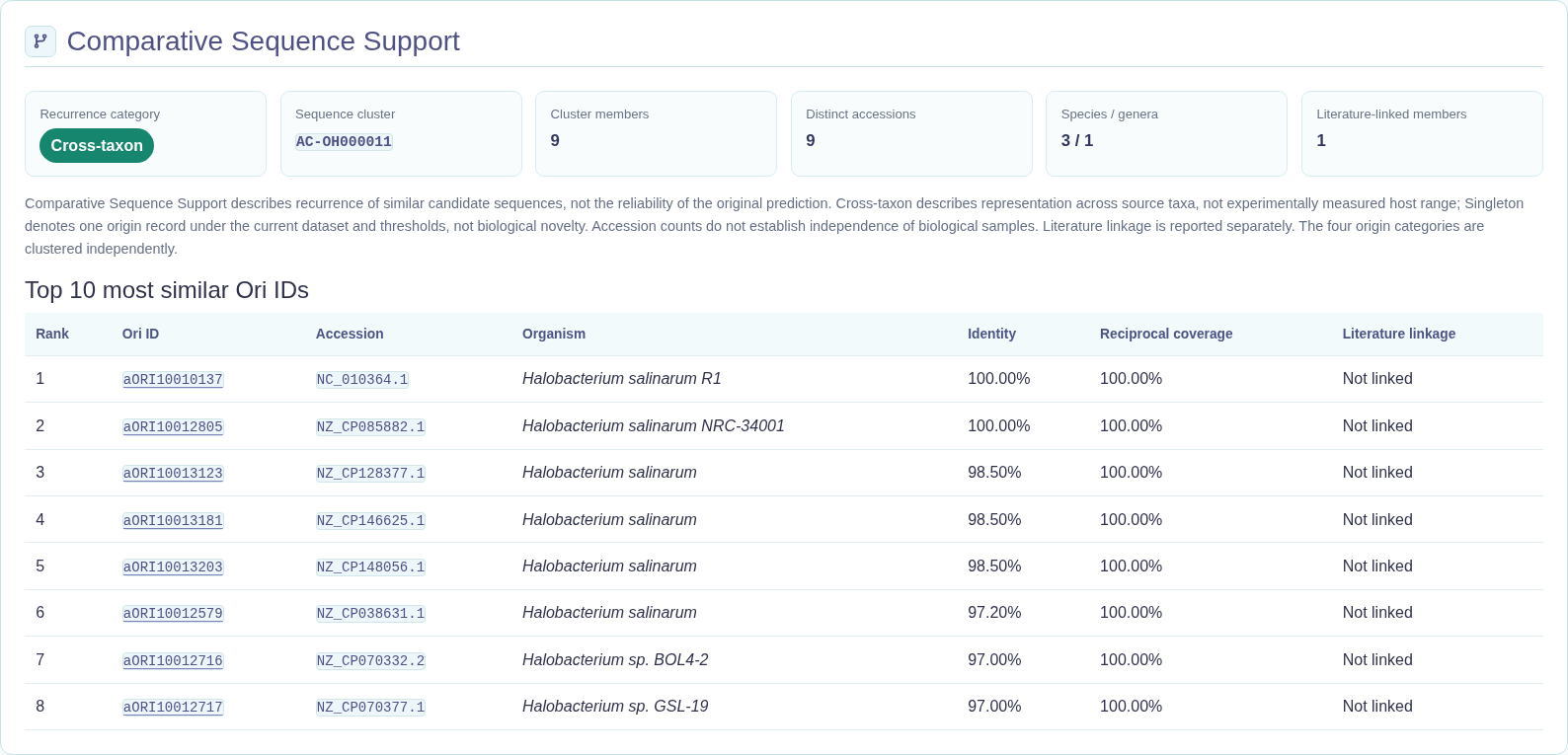
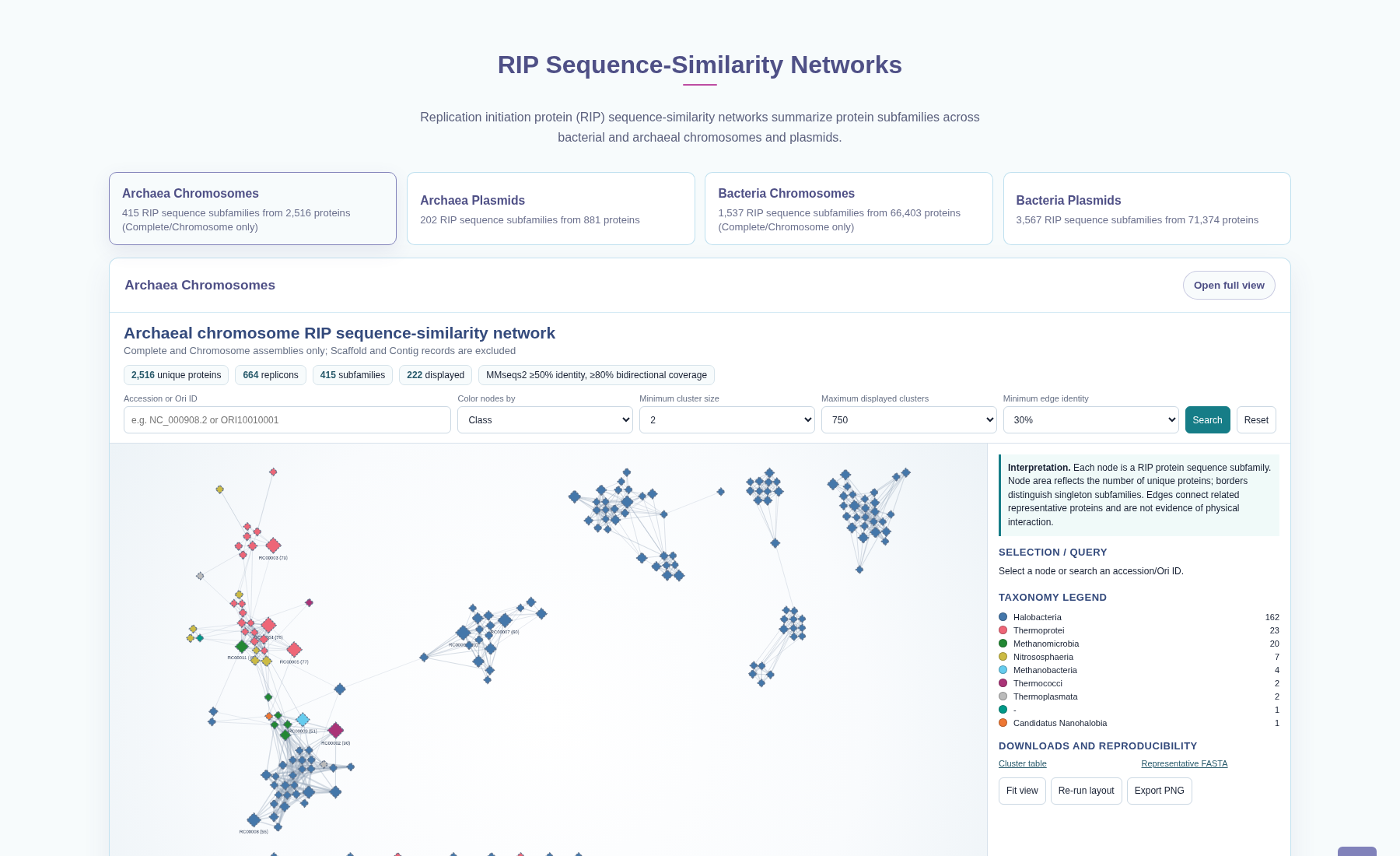
Use comparative sequence support to explore similar origin sequences. Use RIP networks to explore sequence relationships among replication initiation protein subfamilies.
Origin-sequence recurrence categories
Cross-taxon
At least five distinct nucleotide accessions and either at least three valid species or at least two valid genera contribute to the sequence cluster.
Multi-accession
At least three distinct nucleotide accessions contribute to the cluster, without meeting all Cross-taxon criteria.
Recurrent
At least two distinct nucleotide accessions, or at least two origin records, contribute to the cluster, without meeting the higher categories.
Singleton
One origin record occurs in the sequence group. This does not mean the origin is biologically new.
Record groups
Comparisons are made separately for bacterial and archaeal chromosomes and plasmids. Scaffold/Contig chromosome records are marked Not analyzed.
Top 10 similar origins
Open a related Ori ID to view its record. Compare sequence identity and reciprocal coverage in the table; related records need not belong to the same sequence group.
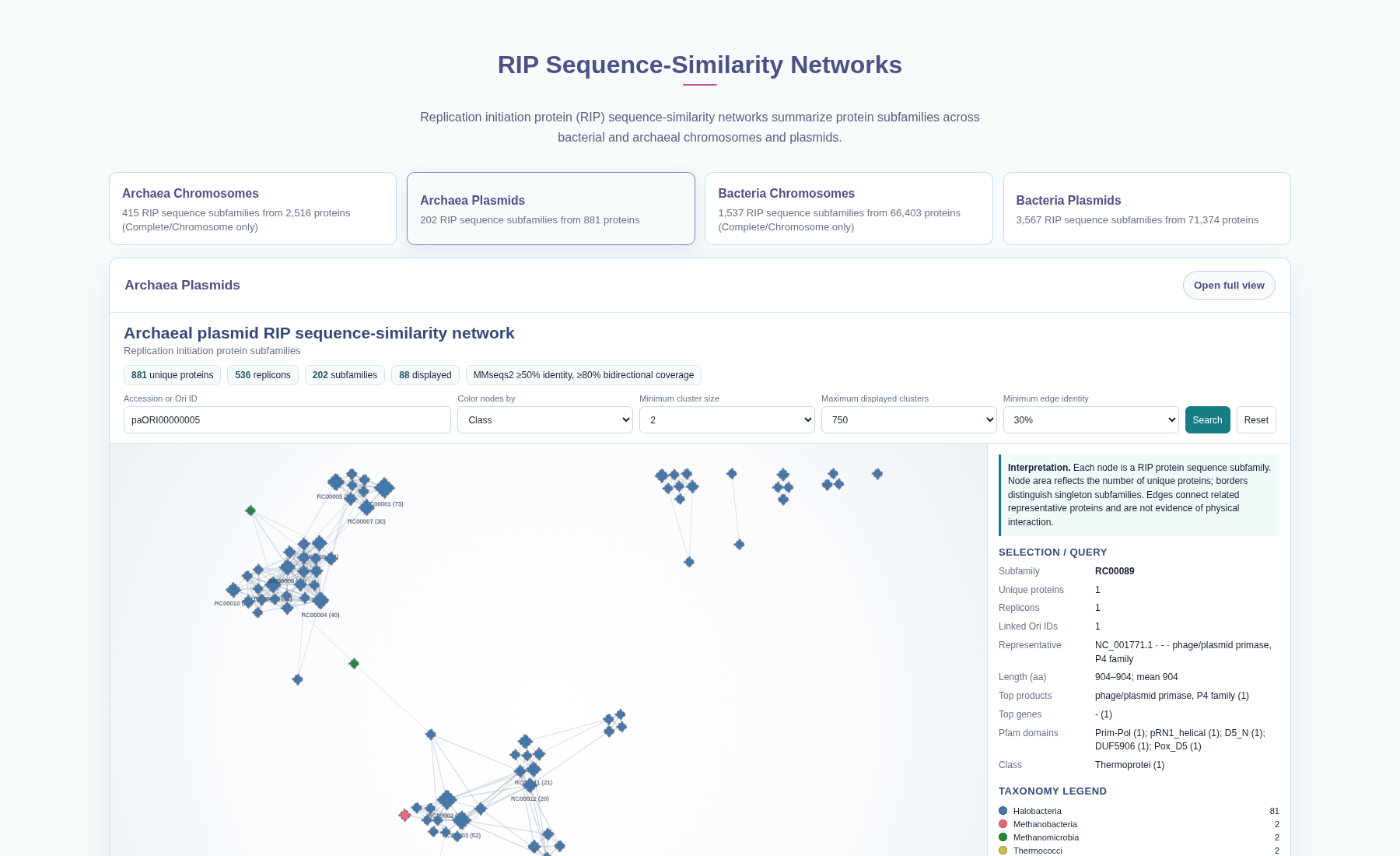
RIP sequence-similarity networks
Choose one of the four tabs on the Home page and click Open full view. Search by accession or Ori ID, then select a node to view its protein subfamily and annotations. Edges show sequence similarity, not protein interactions.
Optional: sequence comparison settings
Sequence groups use 80% nucleotide identity and 80% reciprocal coverage. Related-origin links use 70% identity and 50% reciprocal coverage for broader browsing. These empirical settings are not prediction-confidence thresholds.
4. Search with BLAST
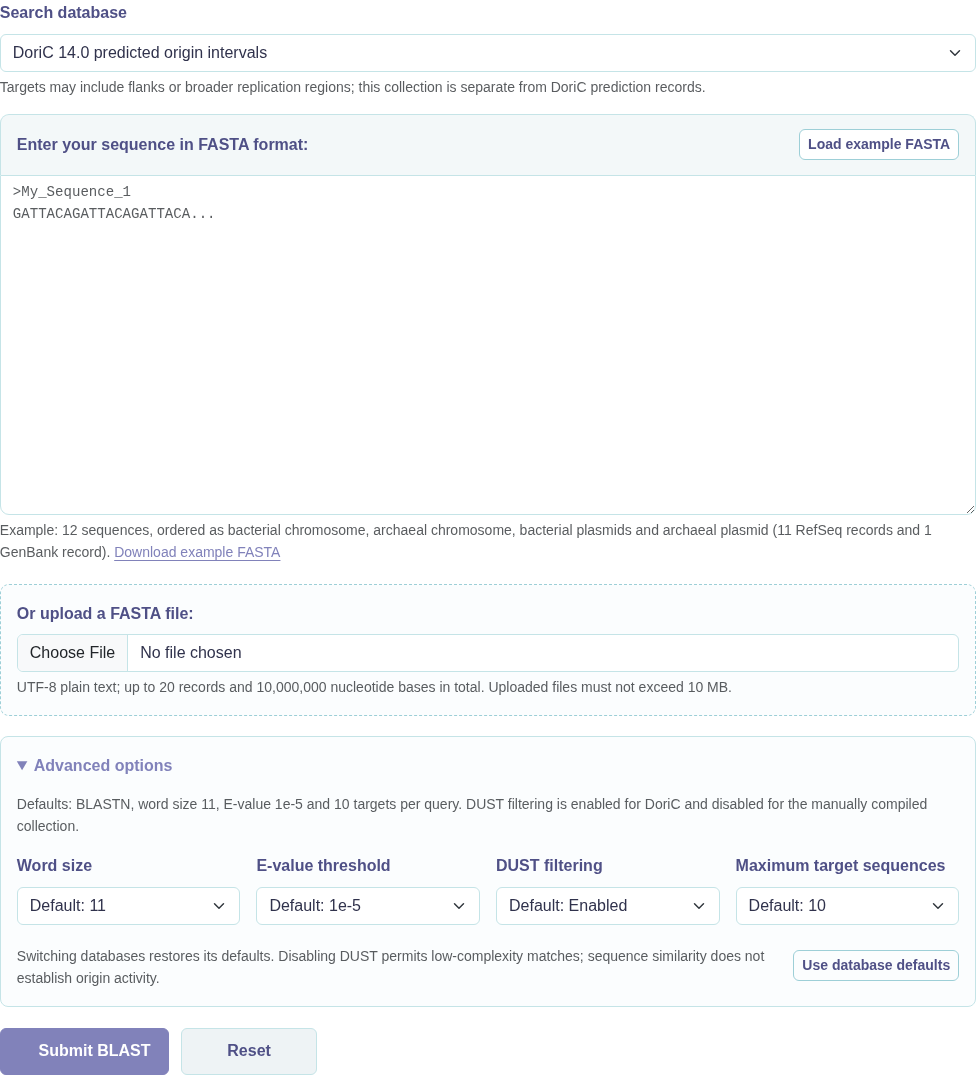
Open Search, choose a database, paste or upload a nucleotide FASTA sequence, and click Submit BLAST.
Submit a query
Paste FASTA text or upload a plain-text FASTA file. To try the search, click Load example FASTA. The example includes bacterial and archaeal chromosomes and plasmids.
You can submit up to 20 sequences and 10,000,000 bases in total; file uploads must be no larger than 10 MB. Give each FASTA record a unique name after >.
Read the results
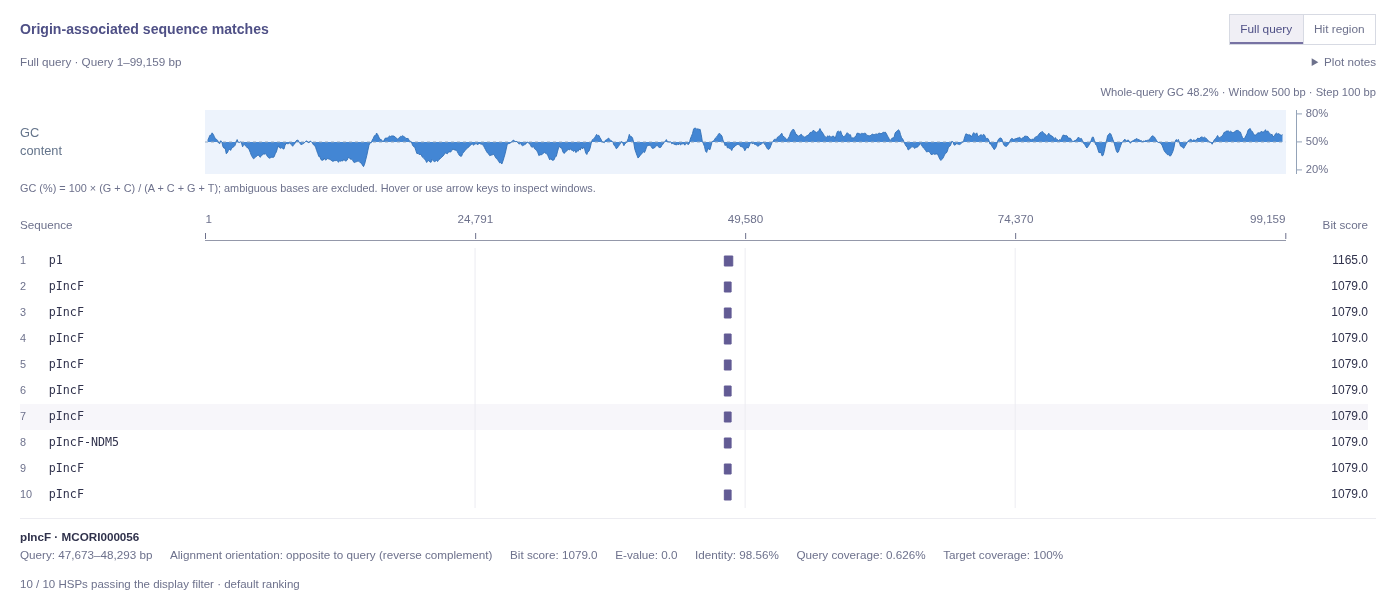
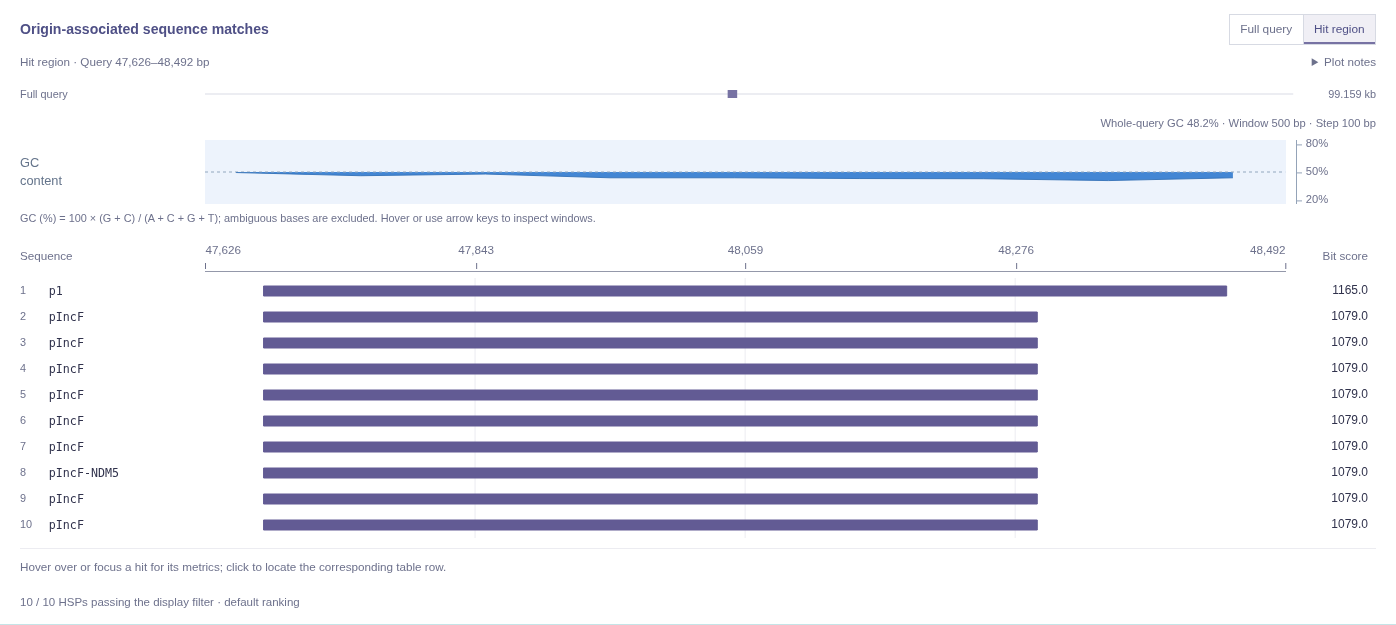
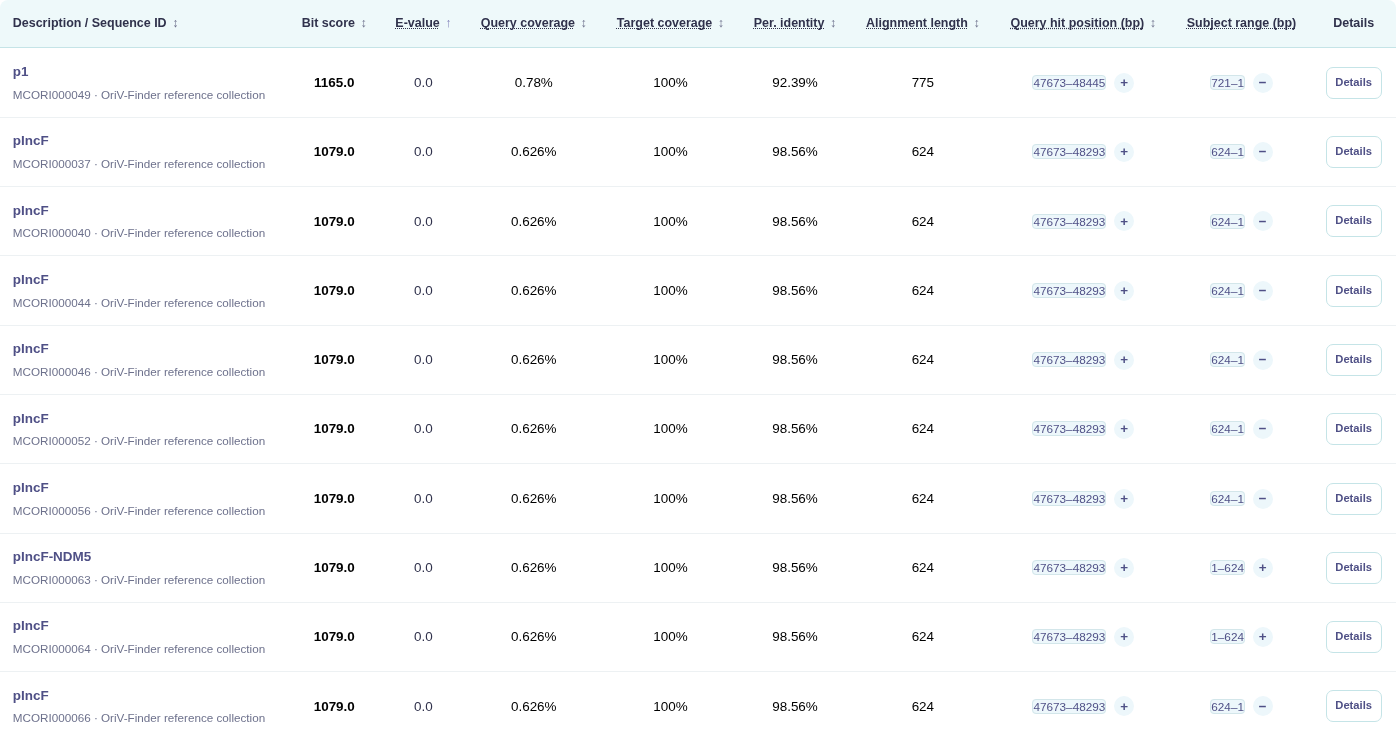
Results are grouped by your submitted sequence. Use the hit-position plot and table to compare matches, their locations, identity and coverage.
Open the matching record
Click a DoriC Ori ID to open its record. Manually compiled targets show source names and available NCBI or publication links.
View and save results
Wait for the results page, then download the TSV to save your matches. Results are available for approximately 24 hours in the same browser session. Click New search to start again. If a service error appears, retry later; it does not mean no match was found.
Choose a search database
DoriC 14.0 origin sequences searches predicted origins from plasmids and complete/chromosome records. Scaffold/Contig records are available in Browse and downloads, but not in this search database.
Manually compiled origin sequences searches a separate collection of origin-associated sequences, including examples without a RefSeq record. Some sequences include flanking or broader replication regions. A sequence match alone does not confirm origin activity.
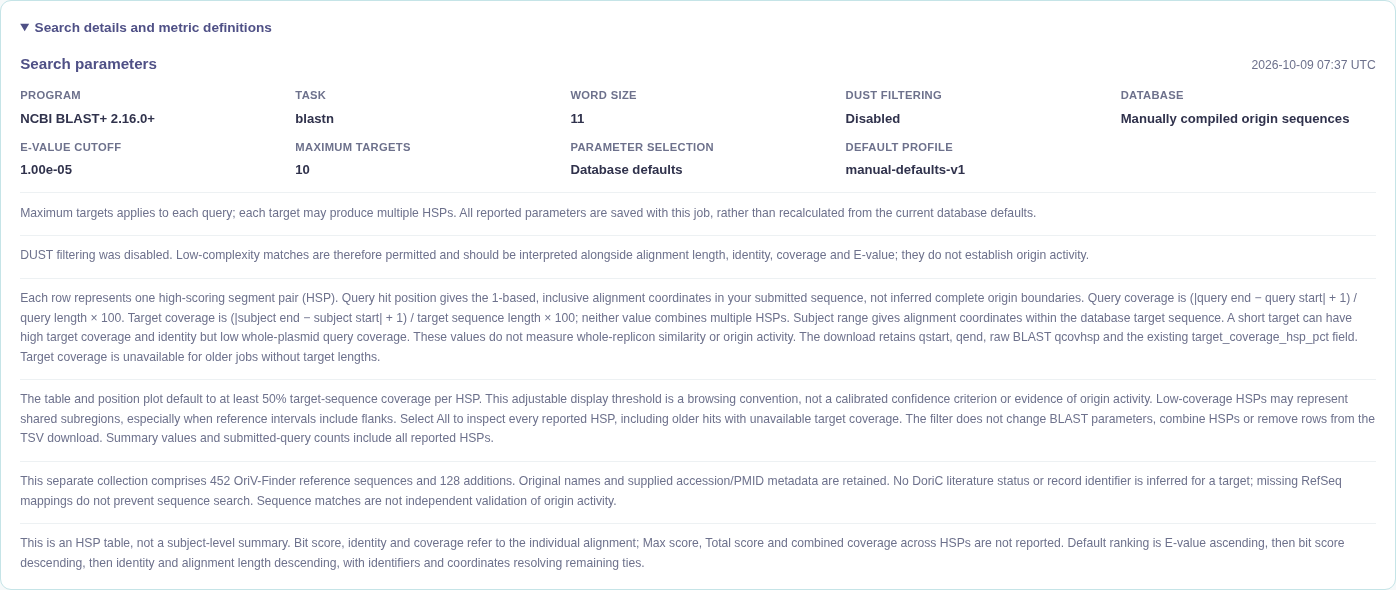
Start with the default settings for your chosen database. Open Advanced options to change the search settings. Maximum target sequences limits database targets per query, not alignment rows. Changing databases restores its defaults. The results page shows the settings used.
The plot and table initially show alignments covering at least 50% of the target sequence. Use the coverage selector to change this or choose All to include partial matches. A display filter changes which matches you see, not the search itself.
Understand the result fields
| Result field | Meaning |
|---|---|
| Bit score / E-value | Results list smaller E-values first, then larger bit scores. These describe the alignment, not origin confidence. |
| Per. identity | Percentage of identical positions within the local alignment, not across the whole uploaded plasmid. |
| Query coverage | Percentage of your uploaded sequence spanned by this alignment. A short origin match may cover only a small part of a whole chromosome or plasmid, even with high identity. |
| Origin / Target coverage | Percentage of the database sequence spanned by this alignment. The label is Origin coverage for DoriC and Target coverage for the manually compiled collection. |
| Query hit position (bp) | Start and end positions of the alignment in your uploaded sequence. |
| Subject range (bp) | Start and end positions in the database sequence. Plus/minus indicates alignment orientation, not replication direction. |
Use Full query to see where matches fall along your entire sequence, or Hit region to zoom in. The blue track shows query GC content. Hover over a hit for details, or click it to find the corresponding table row.
Each row is one local alignment, also called an HSP. Download all HSPs (TSV) saves all reported alignments, including those hidden by the display filter. If no hits pass the filter, try All before concluding there are no reported matches.
5. Download data
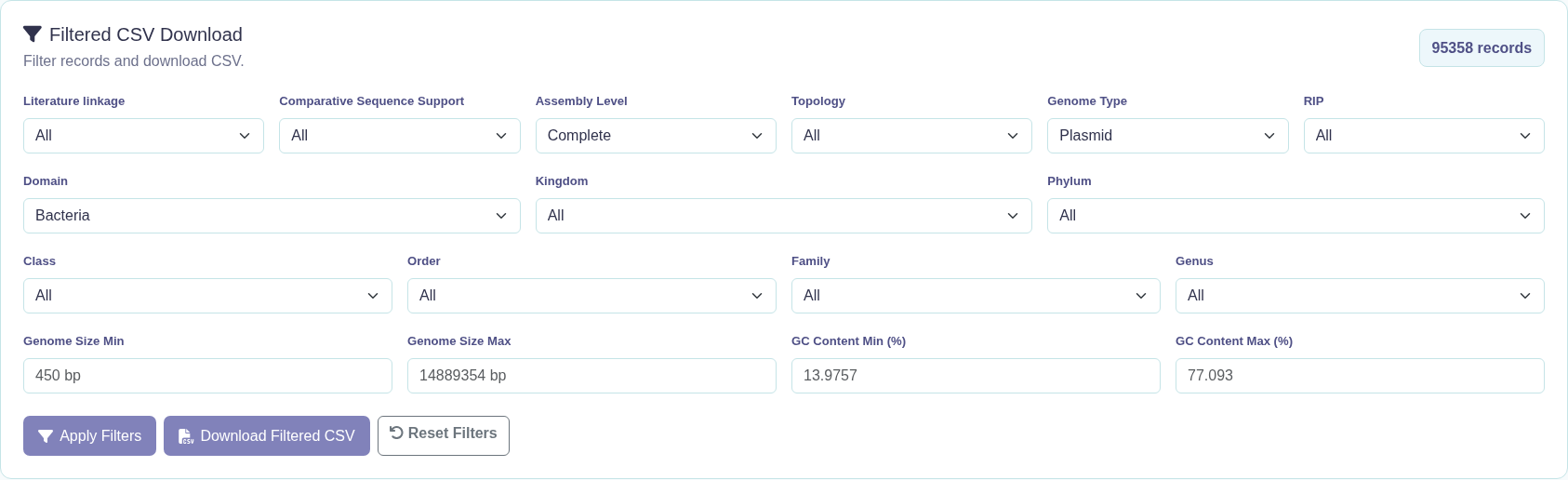
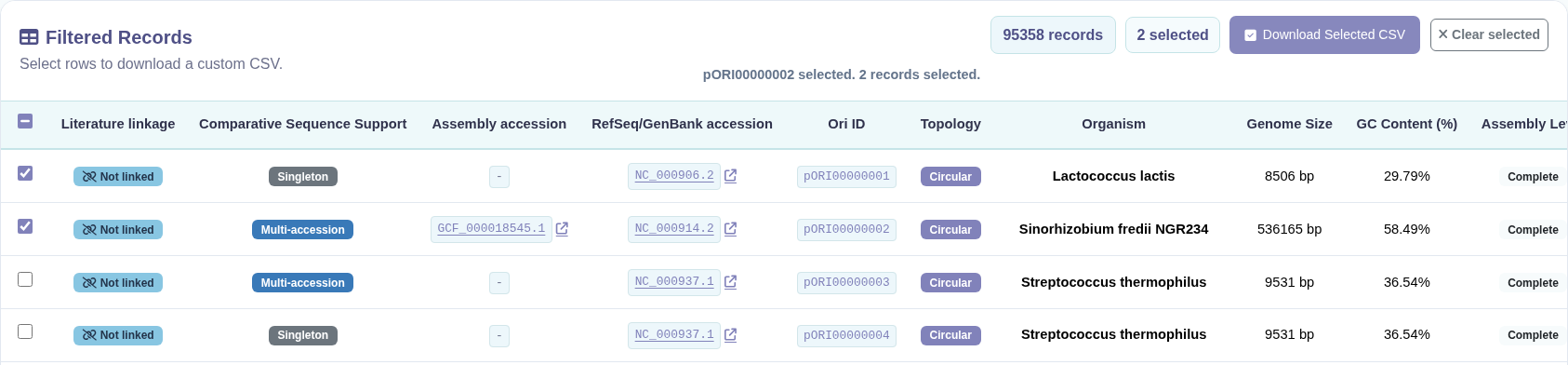
Open Download to get a complete release, export records matching your filters, or select individual records to save.
Download packaged releases
Choose a DoriC release to download its package. The manually compiled sequence collection is available separately.
Filter DoriC 14.0 records
Set your filters and apply them to preview the matching records.
Download filtered CSV
Use the filtered CSV download to save all records matching your filters, not just the current page.
Download selected CSV
Select one or more rows in the preview table, then download only those records.